Supermove is the AI-forward end of the moving-software market: an operating system built to answer every lead, book more moves and automate the busywork your office does by hand. It fits growth-minded, tech-comfortable movers who want AI voice agents and a sales copilot doing the dialing and follow-up — not a one-truck shop looking for a cheap, simple tool. The catch is that pricing is entirely quote-only, and its 4.6/5 rating (18 reviews) comes with reviewers flagging slow support callbacks and automations that still feel limited.
What Is Supermove? #
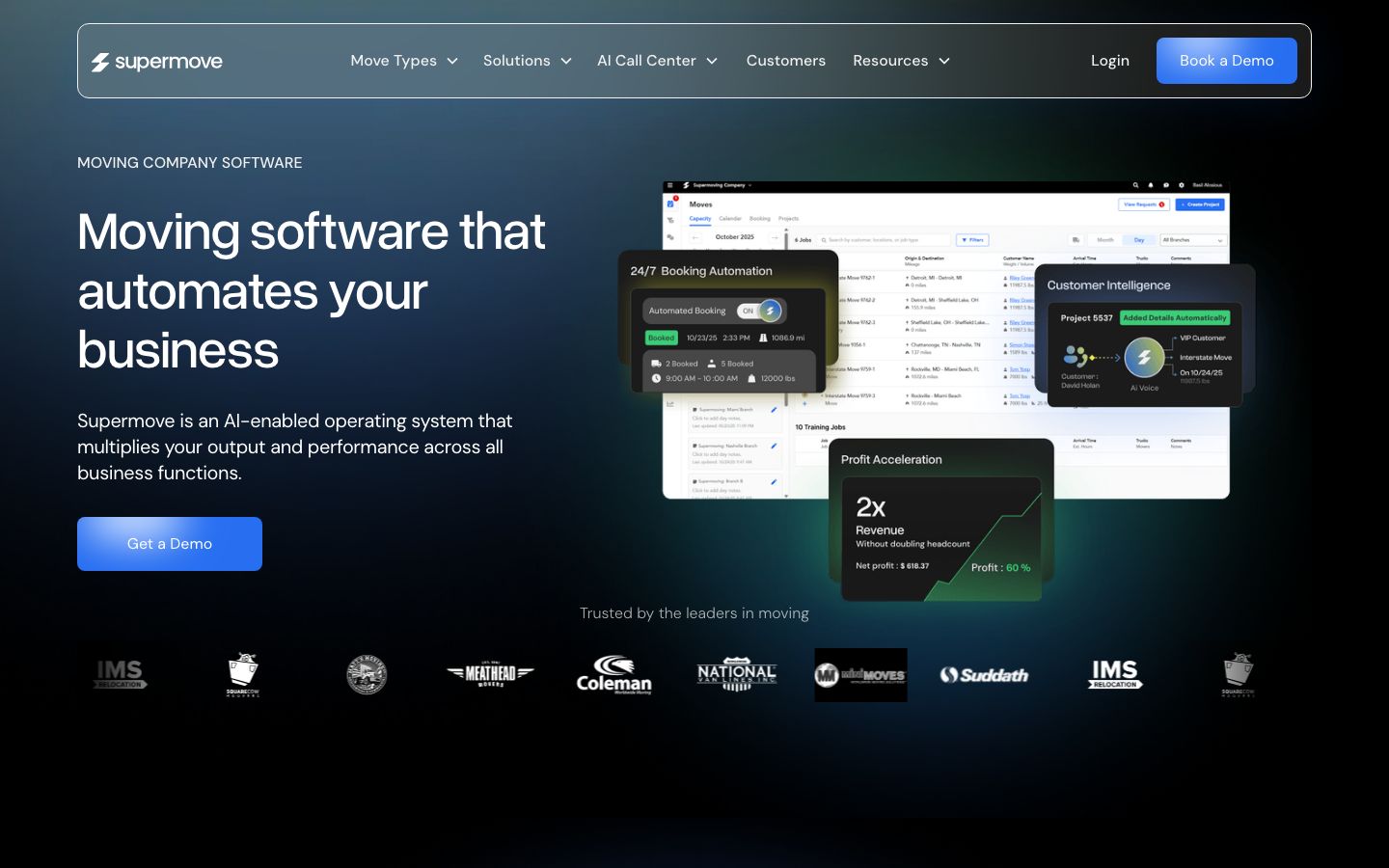
Supermove is a cloud-based operating system for moving companies, marketed as "moving software that automates your business." The vendor describes it as "an AI-enabled operating system that multiplies your output and performance across all business functions," and packages the platform as a Moving Business Command Center that runs the job "from booking the lead to repeat customer."
The positioning is aimed squarely at movers who want to scale. Supermove speaks to Owners & Executives, Operations & IT Leadership, and Sales Leadership, and pitches itself to operators building "generational businesses" and "market leaders." It serves both residential/HHG movers and commercial office and industrial movers, with a dedicated commercial-moving product. One named customer, Atlanta Peach Movers, credits it with consolidating a stack: "It has really helped us from having 3 or 4 systems." That is the core promise — replacing the spreadsheet-plus-inbox-plus-dispatch-board patchwork most movers actually run.
Supermove Features #
Supermove is organized around four apps — Office App, Crew App, Estimator App and Storage App — with an AI layer sitting on top of all of them. The AI emphasis is what sets it apart from the more conventional all-in-one suites.
AI Sales & Call Handling #
This is Supermove's headline. The platform ships AI Voice Agents, an AI Sales Copilot, an Auto Dialer and an AI Call Center aimed directly at the industry's biggest leak — the lead nobody called back. The conversational AI layer answers calls, books after-hours moves, runs outbound sales calls, drafts emails and prompts upsells and cross-sells. For a lead-heavy, phone-driven operation where only a fraction of shops answer fast, automating the first touch is where the pitch lands.
CRM, Automation & Operations #
The Command Center runs sales, operations, customers, crews and reporting from one place. The workforce-automation layer targets the manual grind: data entry, scheduling, dispatch, invoicing, document confirmations, CRM updates and sales follow-ups. The goal is to take the repetitive office work off your staff so a small team can run more volume.
Estimating & Crew App #
Estimating runs through the dedicated Estimator App, and crews work from the Crew App on the job. Because accurate estimates are where margin is won or lost, moving the quote off paper and onto a mobile app is central to the product. The tradeoff, per reviewers, is that the field experience leans on a tablet and can stumble where cell service is poor.
Accounting, Payments & Intelligence #
Supermove offers Supermove Payments, described as "payment management software made for movers" and PCI compliant, handling processing inside one platform. The accounting side is pitched to "put your finances on autopilot." An intelligence layer adds call recording and transcription, crew and capacity optimization, pricing automation and margin tracking — aimed at the roughly half of movers who never track profit per job.
Supermove Pricing #
Supermove does not publish a price. There is no pricing or plans page; every call to action is "Book a Demo," "Get a Demo" or "Call Our AI Voice," and cost is set through that demo based on your operation.
| Plan | Best for | Price |
|---|---|---|
| Supermove platform | Growth-minded movers scaling with AI | Quote-only — book a demo |
There are no published subscription tiers or per-seat rates. Supermove Payments is sold on the vendor's claim of "competitive pricing," with no public rate. Evaluation happens through a live demo rather than a self-serve trial, and an ROI calculator lead page exists for buyers building a business case. On integrations, Supermove says it "connects easily to external systems like QuickBooks, HubSpot, SIRVA, VOIP, Yelp, and more," describes the architecture as "open and integration-friendly," and supports connecting your in-house CRM.
Who Supermove Is For (and Who It Isn't) #
Best for: growth-minded, tech-comfortable movers — residential/HHG and commercial — who want AI doing the dialing, answering and follow-up, and who have the volume to justify an automation-heavy platform. It suits operators consolidating three or four systems into one and owners explicitly trying to scale beyond a single crew.
Less ideal for: very small or budget-first operators. The quote-only pricing makes it hard to know upfront whether it fits, reviewers note that "the fees we paid this company does not justify the delivery of this product" when modules underdelivered, and some automations are described as still "limited." A one-truck shop may find a leaner, transparently priced tool a better first system.
Is Supermove Legit and Worth It? #
Supermove is a legitimate moving-software vendor. On Capterra it holds a 4.6 out of 5 rating from 18 reviews, positions "the leaders in moving" among its customers, and publishes an annual "State of Moving and Storage" report. Supermove Payments is PCI compliant. The reviews are enterprise-leaning and small in number, so read them as directional rather than a large sample.
Whether it is worth it depends on ambition and size. For a growth-minded mover that will actually use AI voice agents, an auto-dialer and margin tracking, the automation can pay for itself in booked jobs and saved office hours. For a small or budget-first shop, the quote-only pricing, the reported support callback delays and the limited automations are real friction — and a simpler, priced tool may serve better while you grow.
Supermove Alternatives #
If Supermove is not the right fit, the closest moving-native platforms are:
| Alternative | Best for |
|---|---|
| SmartMoving | Established movers wanting a proven all-in-one |
| MoveitPro | All-in-one suite with AI call intelligence |
| Chariot | Modern UI and transparent, published pricing |
| Yembo | AI virtual surveys bolted onto an existing CRM |
Each is reviewed in depth on its own page. If you are still scoping the category, the moving CRM and moving dispatch software guides compare the field by function.
Supermove Login & Support #
Existing customers reach Supermove through the web Office App and the mobile Crew App; the vendor routes sign-in and account access through its site. Support runs through Supermove's account and success team. Reviewers rate the product highly overall but flag responsiveness as the weak spot — one writes that "95% of the time you can't get a customer service agent when you call, they usually call back hours later." Budget for that when you weigh it against smaller vendors known for fast support.
Built for Your Whole Team #
Supermove splits into four apps so each role works in the one built for the job.
- Owners — the Command Center rolls up reporting, margin tracking and crew-and-capacity optimization, so you can watch finances and utilization from one dashboard instead of stitching three systems together.
- Dispatchers — the Office App handles scheduling, dispatch and invoicing, with AI automating the repetitive data entry and CRM updates around each job.
- Crews / drivers — the mobile Crew App gives the field team their assignments and move details, while the separate Estimator App lets sales build quotes on site.
- Customers — Supermove Payments runs deposits and payments through a single PCI-compliant platform, and conversational AI can answer calls and book after-hours.
The flow runs from booking the lead to repeat customer: a lead comes in, the Estimator App quotes it, the job books and dispatch schedules it, the built-in Crew App works the move, and invoicing closes it out — with a completed job posting to QuickBooks as an invoice so accounting is not re-keyed. The platform also connects to HubSpot, SIRVA, VOIP systems and Yelp.
Book a Supermove demo
Vendor-facilitated. We forward your request to their sales team within 24 hours.
- Choose a preferred date + time slot
- 30-minute product walkthrough
- Custom pricing based on your seat count
Screenshots
Pros
- AI-first stack — AI Voice Agents, AI Sales Copilot, Auto Dialer and AI Call Center answer and follow up on leads automatically
- All-in-one Command Center consolidates sales, operations, crews, accounting and reporting (customer: "helped us from having 3 or 4 systems")
- Four purpose-built apps: Office, Crew, Estimator and Storage
- Supermove Payments processes payments in-platform and is PCI compliant
- Serves both residential/HHG and commercial office & industrial movers
- Integrates with QuickBooks, HubSpot, SIRVA, VOIP and Yelp, with an open, integration-friendly architecture
Cons
- No public pricing — quote-only, which makes upfront budgeting hard for smaller movers
- Support responsiveness is the top gripe: reviewers say "95% of the time you can't get a customer service agent when you call, they usually call back hours later"
- Some automations feel limited: "the automations are limited… we need more button functions," per reviewers
- Reporting and payroll modules drew complaints ("their reports and payroll… each module does not seem to be working effectively")
- Crew workflow leans on a tablet, and "bad cell service can hinder functionality"; some users could not print estimates as PDF
- Enterprise-leaning with a small review base (18) and value-for-money questioned by some smaller shops
Frequently Asked Questions
Similar Moving CRM Software Tools
User Reviews
Write a reviewNo reviews yet for Supermove.
Be the first to review